 letai2001
ef14f20943
letai2001
ef14f20943
|
||
|---|---|---|
| data | ||
| src | ||
| success | ||
| tests | ||
| Link LLV 2025.xlsx | ||
| README.md | ||
| extract_work_content.py | ||
| image-1.png | ||
| image.png | ||
| read_excel.py | ||
| requirements.txt | ||
| unique_work_contents.txt | ||


README.md
🚀 HƯỚNG DẪN CHẠY API
1️⃣ Cài đặt dependencies
pip install -r requirements.txt
2️⃣ Khởi động server
python src/api/main.py
Server sẽ chạy tại: http://localhost:8000
3️⃣ Test API
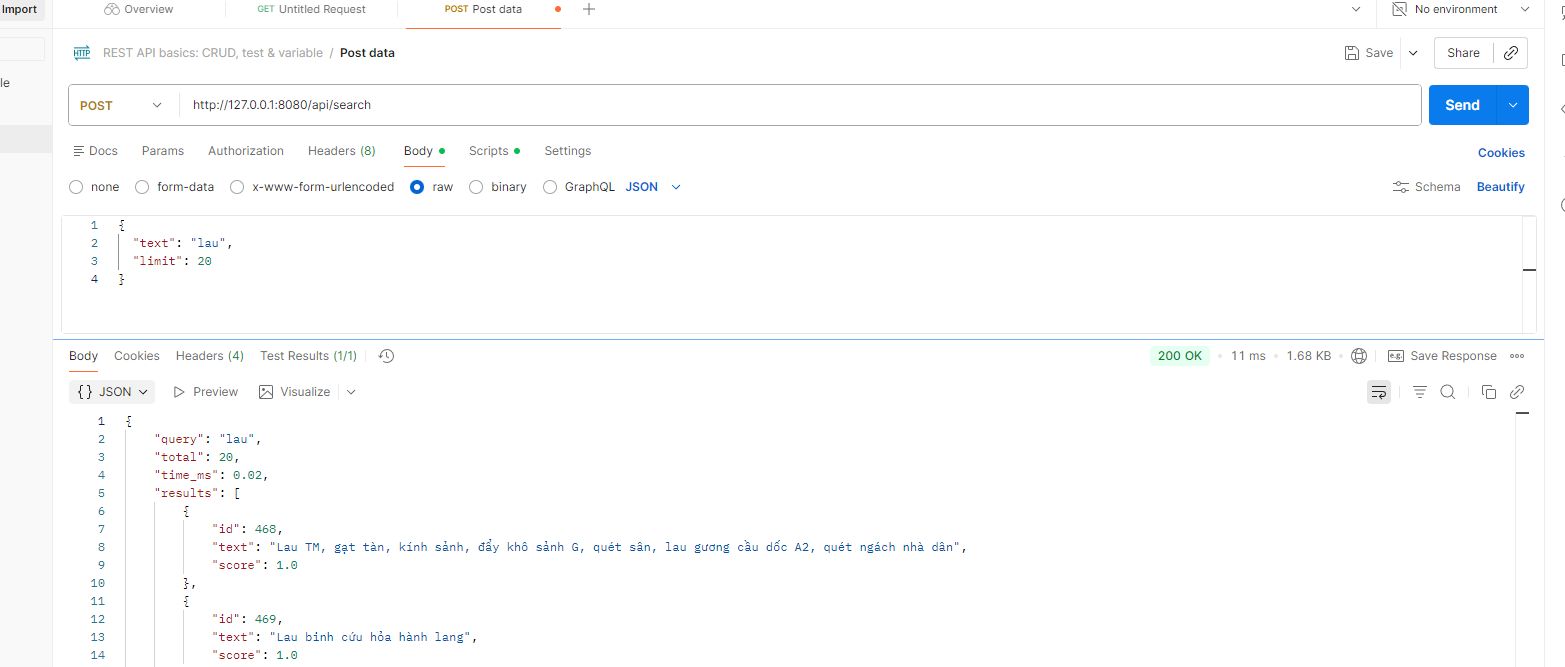
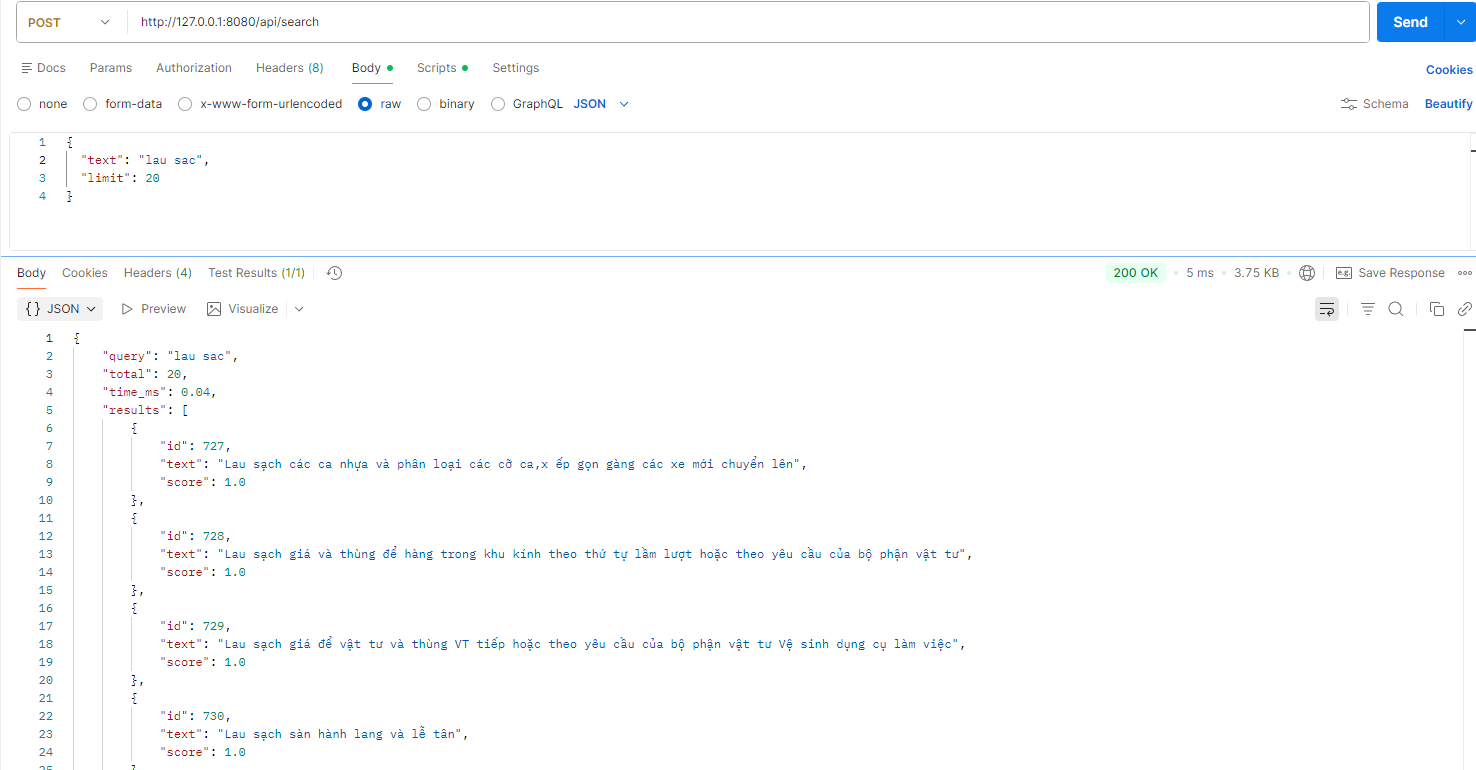
Endpoint: POST http://localhost:8000/api/search
Request body (JSON):
{
  "text": "lau",
  "limit": 20
}
Ví dụ test bằng curl (PowerShell):
curl -X POST "http://localhost:8000/api/search" `
  -H "Content-Type: application/json" `
  -d '{"text":"lau","limit":20}'
Hoặc dùng Postman:
- Method: POST
- URL:
http://localhost:8000/api/search - Headers:
Content-Type: application/json - Body (raw JSON):
{
  "text": "lau san",
  "limit": 20
}
Response mẫu:
{
  "query": "lau",
  "total": 15,
  "time_ms": 2.3,
  "results": [
    {
      "id": 0,
      "text": "Lau sàn nhà",
      "score": 1.0
    },
    {
      "id": 5,
      "text": "Dọn WC, lau cửa",
      "score": 0.5
    }
  ]
}
API Docs: http://localhost:8000/docs
📋 TỔNG QUAN HỆ THỐNG
✨ Hệ thống Search gợi ý công việc làm sạch
Hệ thống này giúp người xếp lịch tòa nhà tìm kiếm nhanh các công việc làm sạch thông qua gợi ý real-time khi gõ từ khóa.
🎯 Tính năng chính
- ✅ Tìm kiếm real-time (< 5ms/query)
- ✅ Không phân biệt dấu (gõ "lam" tìm được "làm")
- ✅ Tìm từ ở giữa câu (gõ "san" tìm được "Lau sàn nhà")
- ✅ Ưu tiên từ đầu câu (gõ "lau" → "Lau sàn" xuất hiện trước "Dọn WC, lau cửa")
- ✅ RESTful API (POST JSON)
🏗️ LUỒNG XỬ LÝ
Bước 1: Đọc dữ liệu từ JSON
📂 success/*.json (300+ files)
    ↓
📄 unique_work_contents.json (dữ liệu công việc đã lọc)
Dữ liệu mẫu:
[
  "Làm sạch nhà vệ sinh",
  "Lau sàn hành lang",
  "Vệ sinh kính cửa sổ",
  "Dọn rác, lau bàn",
  ...
]
Script: extract_work_contents.py (đã chạy sẵn)
Bước 2: Build Prefix Tree (Trie)
Khi server khởi động, hệ thống:
- Load dữ liệu từ
unique_work_contents.json - Build Trie với các tính năng:
- Word-start indexing: Index mỗi từ trong câu
- Normalize: Bỏ dấu tiếng Việt
- Scoring: Từ đầu câu (score=1.0), từ giữa câu (score=0.5)
- Top-K caching: Cache kết quả để search nhanh
Ví dụ index câu: "Làm sạch nhà vệ sinh"
Trie index:
├─ "lam sach nha ve sinh"  → score=1.0 (từ đầu)
├─ "sach nha ve sinh"      → score=0.5 (từ giữa)
├─ "nha ve sinh"           → score=0.5 (từ giữa)
├─ "ve sinh"               → score=0.5 (từ giữa)
└─ "sinh"                  → score=0.5 (từ giữa)
Code: src/search/trie.py
Bước 3: Cung cấp API
Server FastAPI cung cấp endpoint:
POST /api/search
Flow:
- Nhận request JSON
{"text": "lau", "limit": 20} - Normalize query:
"lau"→"lau" - Search trong Trie đã build sẵn (O(m) - m là độ dài query)
- Trả về kết quả đã sắp xếp theo score
Code: src/api/main.py + src/api/search_service.py
🔧 CẤU TRÚC PROJECT
HM_search/
├── data/
│   └── unique_work_contents.json    # Dữ liệu công việc
├── src/
│   ├── search/
│   │   └── trie.py                  # Prefix Tree implementation
│   └── api/
│       ├── main.py                  # FastAPI server
│       └── search_service.py        # Search service (singleton)
├── tests/
│   ├── test_trie_production.py      # Unit tests
│   └── test_with_real_data.py       # Integration tests
├── success/                          # Raw JSON files (300+ files)
├── requirements.txt                  # Dependencies
├── RUN_API.md                        # Chi tiết hướng dẫn chạy
└── README.md                         # File này
🎯 HOÀN THIỆN HỆ THỐNG
⚠️ Lưu ý quan trọng:
Hiện tại đây CHỈ LÀ API BACKEND. Để hoàn thiện hệ thống, bạn cần:
1️⃣ Tích hợp vào Backend chính
API này cần được gọi từ backend chính của hệ thống xếp lịch:
┌─────────────────┐
│   Frontend      │  (Giao diện người dùng)
└────────┬────────┘
         │
         ↓ (HTTP request)
┌─────────────────┐
│ Backend chính   │  (NodeJS/Django/PHP/...)
│ (Quản lý lịch)  │
└────────┬────────┘
         │
         ↓ (Gọi API search)
┌─────────────────┐
│  Search API     │  ← HỆ THỐNG NÀY
│  (FastAPI)      │
│  Port 8000      │
└─────────────────┘
Backend chính cần:
- Gọi API search khi user nhập công việc
- Hiển thị gợi ý cho user chọn
- Lưu công việc đã chọn vào database
2️⃣ Ví dụ tích hợp (NodeJS/Express)
// Backend chính gọi Search API
const axios = require('axios');

app.post('/api/work-suggestions', async (req, res) => {
  const { query } = req.body;

  // Gọi Search API
  const response = await axios.post('http://localhost:8000/api/search', {
    text: query,
    limit: 20
  });

  // Trả về cho frontend
  res.json(response.data);
});
3️⃣ Frontend tích hợp
Frontend cần:
- Input search với debounce (150-300ms)
- Gọi API mỗi khi user gõ
- Hiển thị danh sách gợi ý
- Cho phép user chọn và submit
Ví dụ (React):
const [query, setQuery] = useState('');
const [suggestions, setSuggestions] = useState([]);

// Debounce search
useEffect(() => {
  const timer = setTimeout(async () => {
    if (query.length > 0) {
      const res = await fetch('/api/work-suggestions', {
        method: 'POST',
        body: JSON.stringify({ query }),
        headers: { 'Content-Type': 'application/json' }
      });
      const data = await res.json();
      setSuggestions(data.results);
    }
  }, 200);

  return () => clearTimeout(timer);
}, [query]);
📊 PERFORMANCE
- Build time: ~2-3 giây (1 lần khi startup)
- Search time: < 5ms/query
- Documents: 300+ công việc
- Trie nodes: ~50,000 nodes
🛠️ TECHNOLOGY STACK
- Python 3.8+
- FastAPI - REST API framework
- Uvicorn - ASGI server
- Custom Trie - Prefix tree implementation
- Unicodedata - Vietnamese normalization
📚 TÀI LIỆU THAM KHẢO
- RUN_API.md - Hướng dẫn chi tiết chạy API
- API Docs - http://localhost:8000/docs (Swagger UI)
- Tests -
tests/folder
👨💻 DEVELOPMENT
Chạy tests
python tests/test_trie_production.py
python tests/test_with_real_data.py
Debug mode
uvicorn src.api.main:app --reload --log-level debug
✅ NEXT STEPS
- ✅ API đã hoàn thiện - Có thể test ngay
- ⏳ Tích hợp vào backend chính - Gọi API từ hệ thống xếp lịch
- ⏳ Frontend UI - Xây dựng giao diện autocomplete
- ⏳ Deploy production - Deploy API lên server
Made with ❤️ for HM Building Management System